Understand the fees you pay
See exactly what comes out of an order before the money reaches your bank.
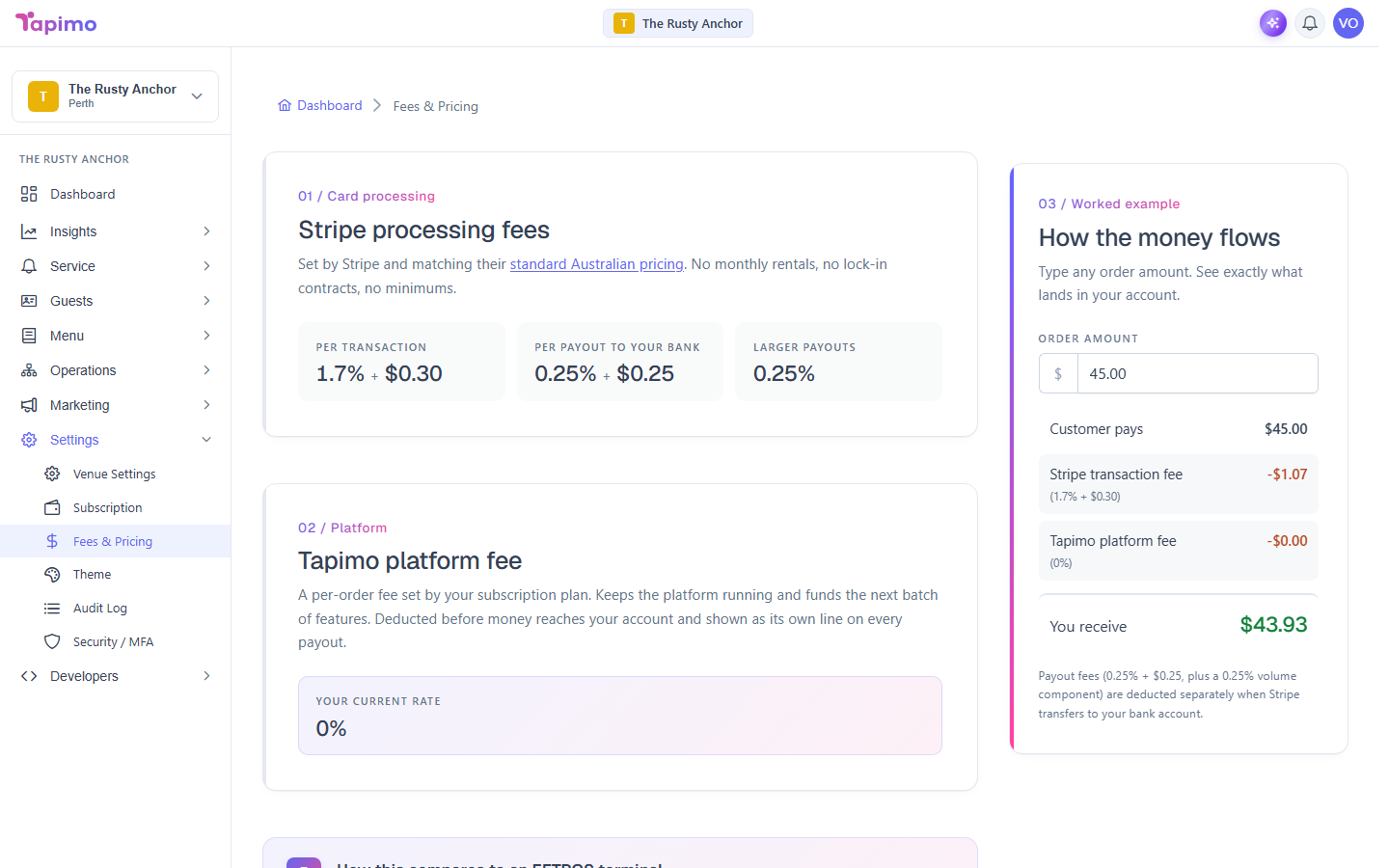
There are a few different fees in Tapimo, and they are not all the same kind of thing. The Settings -> Fees & Pricing screen lays out the per-order ones and lets you work an example.
Venue owners and staff can view this screen. It is read-only: the rates come from your plan and from Stripe, so there is nothing to change here.
The fees on an order
When a diner pays, two fees come out before the money lands in your account:
- Stripe processing fee: Stripe's card fee, set by Stripe at their standard Australian pricing (a percentage plus a small fixed amount per transaction).
- Tapimo platform fee: a per-order fee set by your subscription plan, shown as Your current rate (a percentage). It is deducted before payout and appears as its own line on every payout.
Both come out of each order. The Settings -> Fees & Pricing screen shows your exact Stripe rates and your platform rate, with a note comparing the Stripe rate to a typical EFTPOS terminal.
Your monthly subscription is separate
Your plan's monthly fee is a different thing entirely. It is billed to you as a Tapimo customer (a separate charge), not taken out of order payments. You see and manage it on Settings -> Subscription, not on the Fees screen.
See what you actually receive
On Settings -> Fees & Pricing, the How the money flows section is a calculator. Type any Order amount and it shows:
- Customer pays (the order amount)
- minus the Stripe transaction fee
- minus the Tapimo platform fee
- equals You receive
A small payout fee is also taken when Stripe transfers your balance to your bank, noted under the example.
Where the money goes
Order payments flow into your own Stripe account and pay out to your bank, minus the fees above. GST, where it applies, is handled automatically and shown on the diner's receipt for GST-registered venues.