Respond to table service requests
See when a diner needs something at their table, and mark it done.
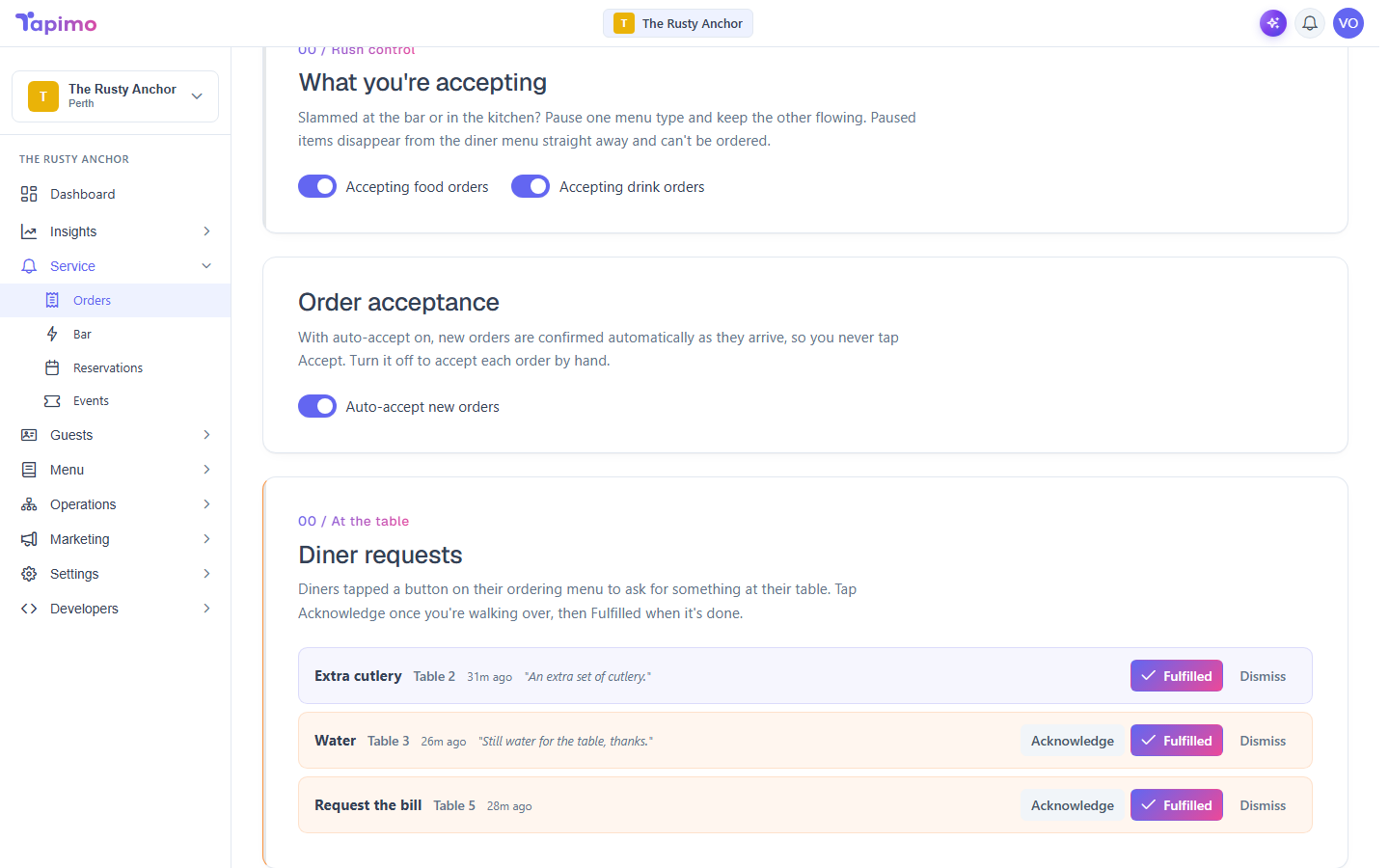
Diners can call for help from their phone without placing an order: to get staff over, ask for water or cutlery, request the bill, or ask for the table to be cleared. These land in a live feed at the top of your Orders screen.
Who can do this
Seeing requests needs the View Orders permission. Marking them handled needs Manage Order Status. Venue owners have both.
Handle a request
- Go to Service -> Orders. Active requests show in the feed at the top, each with the table and what was asked for.
- Tap Acknowledge when you are walking over. This tells your team it is being handled, so nobody doubles up.
- Tap Fulfilled once it is done. The request clears from the feed.
New requests appear on their own, so you do not need to refresh.
Turn requests on or off
Table service requests are on by default. They are a venue setting, so if you do not want diners to be able to call staff this way, an owner can switch them off in your venue settings.