Add ingredients and sauces to your registry
Build a reusable list of ingredients and sauces to use across your menu items.
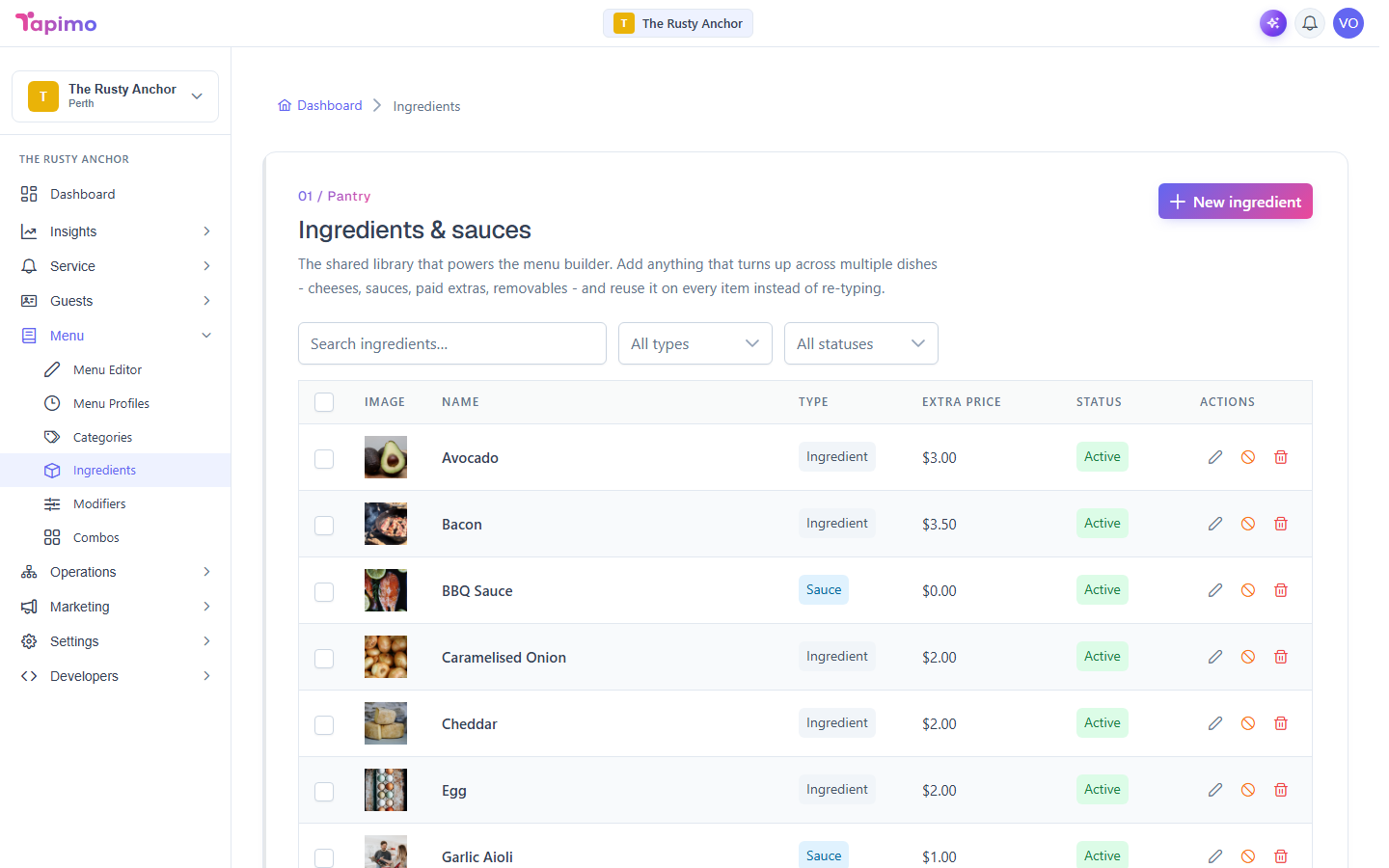
Your ingredient registry is a central list you build once. You then attach these ingredients and sauces to items as removable parts, paid extras, or sauce choices, without retyping them each time.
This needs the Manage Item Ingredients permission. Venue owners have it automatically.
Add an ingredient or sauce
- Go to Menu -> Ingredients.
- Click New ingredient.
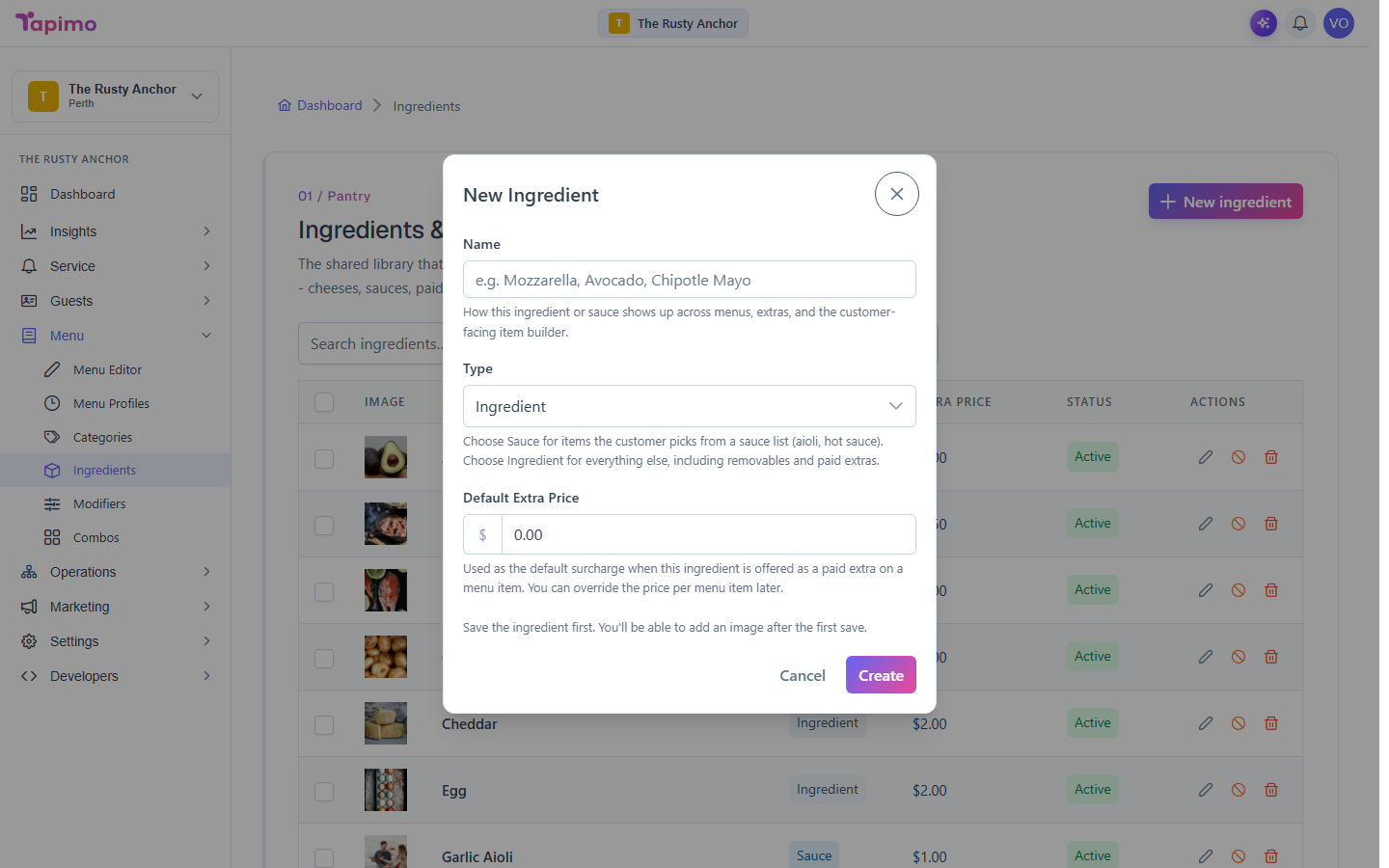
- Enter a Name (for example,
MozzarellaorChipotle Mayo). - Set the Type to Ingredient or Sauce.
- Set a Default Extra Price. This is what it charges when a diner adds it as
an extra. Leave it at
0.00if it is always free. - Click Create.
Repeat for each one. You can add a photo to an ingredient after you save it.
Find and manage them
Use the search box and the type and status filters at the top to find an entry. On any row you can:
- Edit its details.
- Deactivate it to retire it without deleting (use Activate to bring it back).
- Delete it.
How to know it worked
The ingredient appears in the list with an Active status, and shows up in the ingredient search when you build a menu item.
Troubleshooting
It will not delete An ingredient that is in use on menu items cannot be deleted. Tapimo shows "Cannot Delete" and, for bulk deletes, tells you which items to remove it from first. Take it off those items, or just Deactivate it instead.