Create a combo
Bundle items into a meal deal, like "burger + side + drink", that diners build step by step.
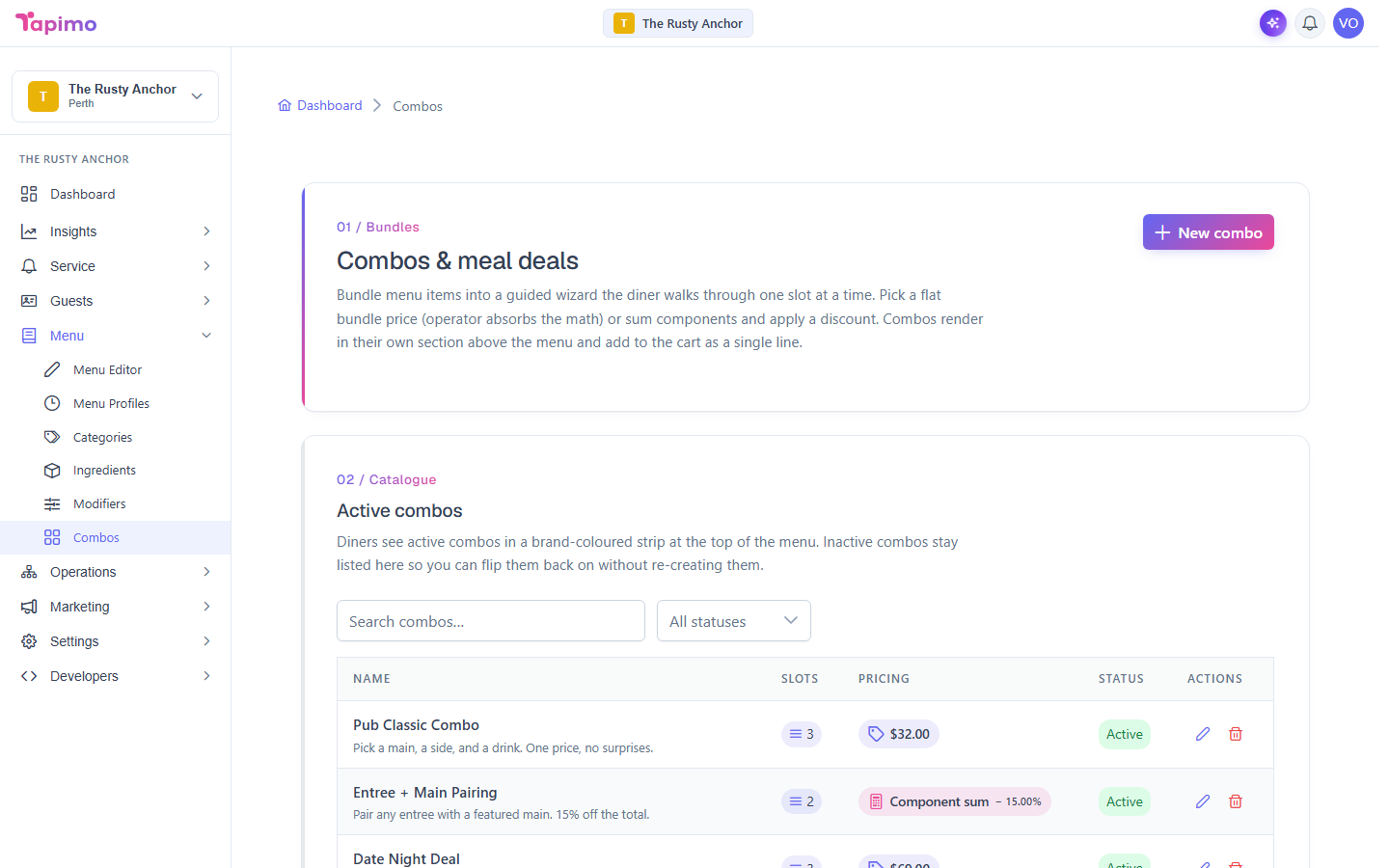
A combo is several items sold as one. You set up the steps (called slots), like "Pick a burger" and "Pick a side", and the diner chooses one item per step. You decide whether the combo is a flat price or the picks added up with a discount.
Combos are part of higher plans. If you do not see Combos under Menu, your plan does not include them yet.
This needs the Manage Combos permission. Venue owners have it automatically.
Steps
- Go to Menu -> Combos.
- Click New combo.
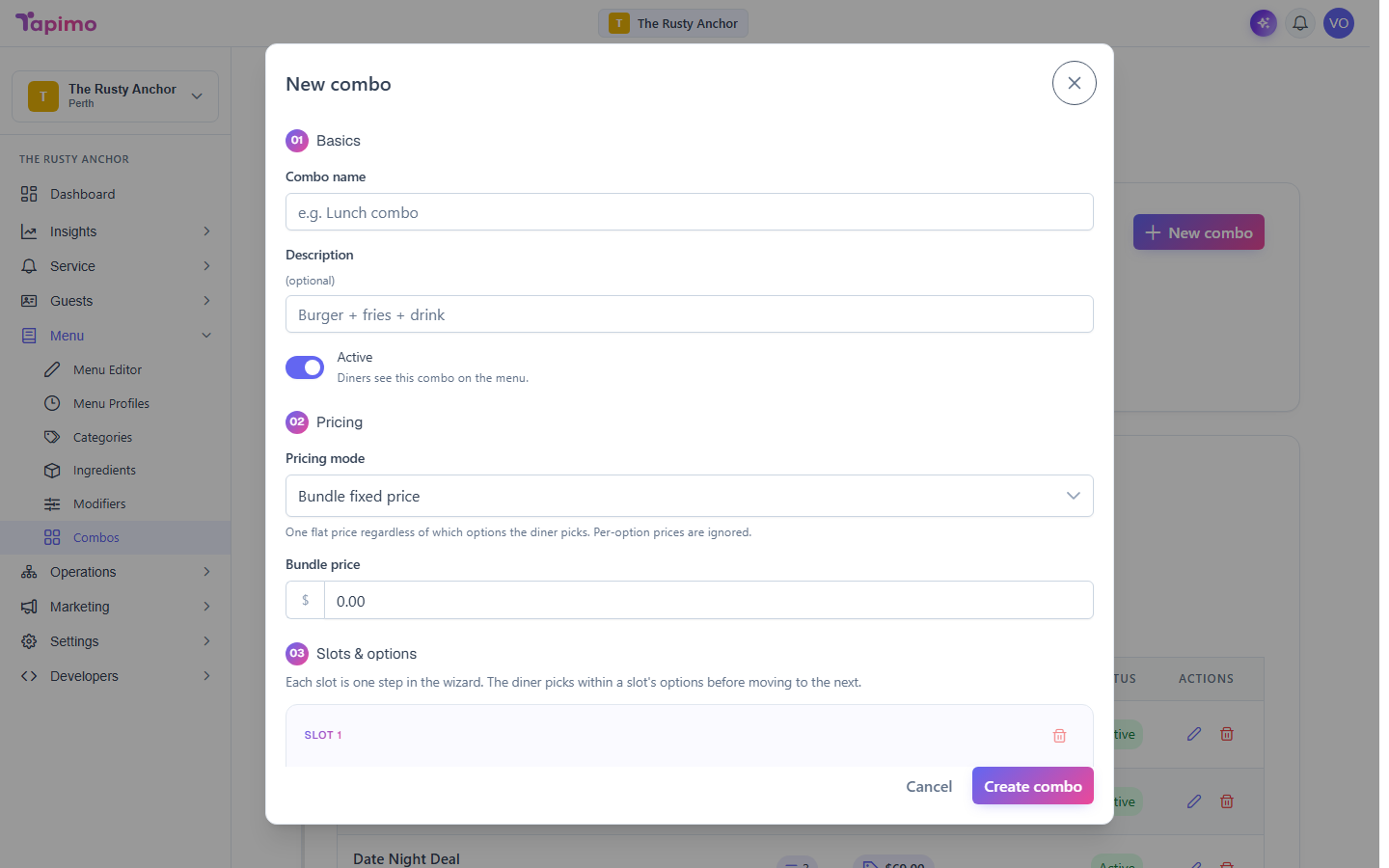
- Under Basics, enter a Combo name and an optional Description. Leave the toggle on Active when you are ready for diners to see it.
- Under Pricing, choose how it is priced:
- Bundle fixed price: one flat price no matter what the diner picks. Enter the Bundle price.
- Sum components, then discount: the picks add up, then a discount comes off. Choose a Discount mode (none, flat amount, or percentage) and set the value.
- Under Slots & options, build the steps:
- Click Add slot for each step. Give it a Slot name (for example,
Pick a side) and set Min picks and Max picks. - Inside a slot, click Add option. Choose Specific item and pick the menu item, or Any item from category to let the diner choose from a whole category. You can set a price override for an option if you want it to cost a different amount inside this combo.
- Click Add slot for each step. Give it a Slot name (for example,
- Click Create combo.
How to know it worked
The combo appears on the diner menu. When they tap it, they walk through your slots one at a time and land on a single line in their cart.
Troubleshooting
A pick has its own choices (like sauce) That is fine. When a diner picks an item that has its own modifier groups, they customise it as normal inside the combo.