Create your menu categories
Add the categories that group your items, like Starters, Mains and Drinks.
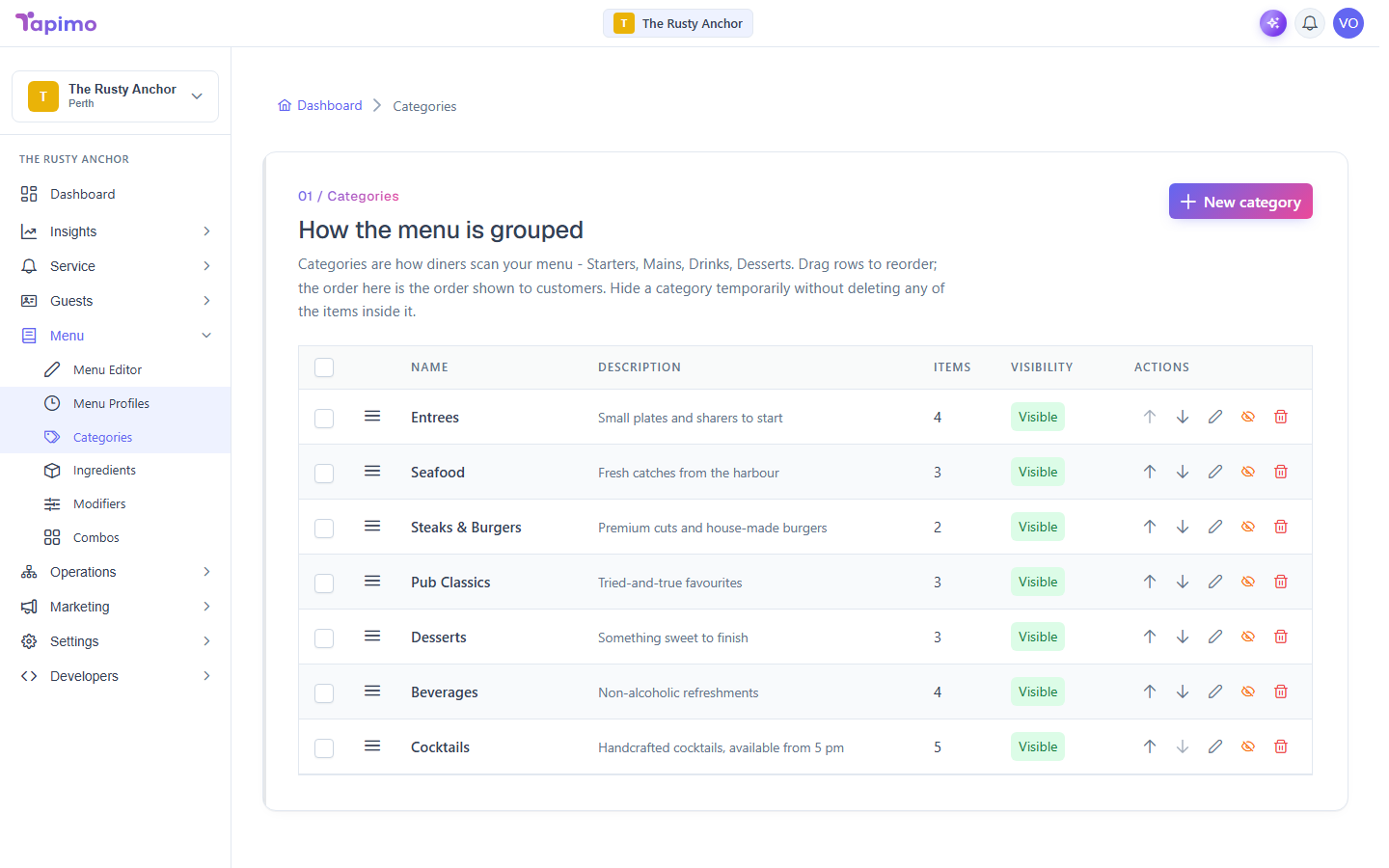
Categories are the headings diners use to find their way around your menu. Set these up first, then add items into them.
This needs the Manage Categories permission. Venue owners have it automatically.
Add a category
- Go to Menu -> Categories.
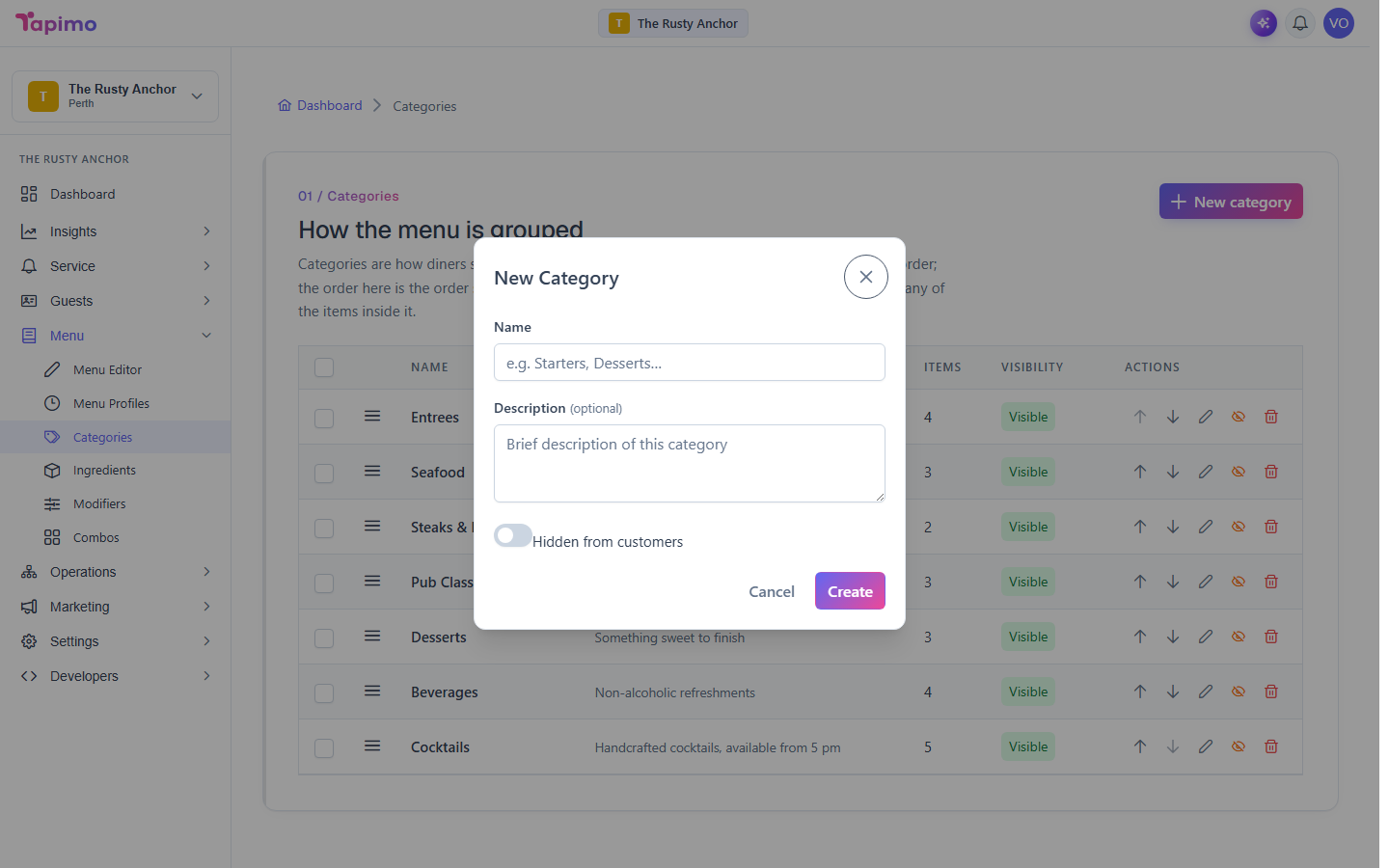
- Click New category.
- Enter a Name (for example,
Starters). - Add a short Description if you want one. It is optional.
- Click Create.
Repeat for each category. New categories go to the bottom of the list.
Put them in the right order
Drag a category by its grip to reorder it, or use the Move up and Move down buttons on its row. The order here is the order diners see.
Hide a category
To take a category off the live menu without deleting it, click the Hide button on its row (the eye icon). Click Show to bring it back.
How to know it worked
Your categories appear in the list, in the order you set, and on the diner menu once they hold at least one visible item.
Troubleshooting
A category will not delete A category that still has items in it cannot be deleted. Move or remove those items first, then delete the category. Tapimo tells you which items are in the way.