Read and reply to feedback
Read what diners thought of their visit, and reply to put things right.
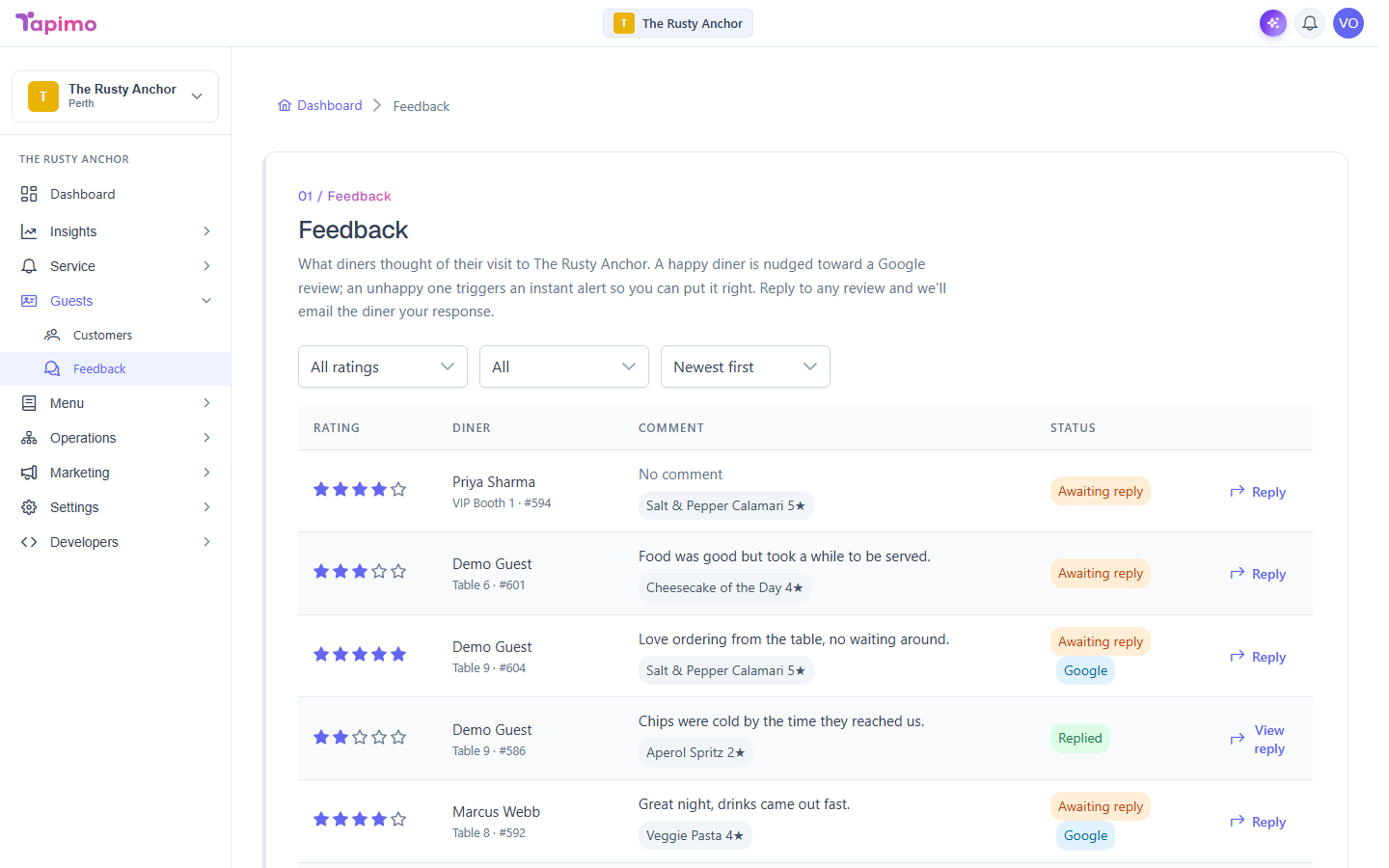
The feedback inbox shows every rating and comment diners have left. You can filter to the ones that need attention and reply to any of them; Tapimo emails the diner your response if they left an address.
This needs the Manage Feedback permission. Venue owners have it automatically. Feedback is on Growth plans and above. First turn it on; see Collect diner feedback.
Read the inbox
- Go to Guests -> Feedback.
- Each row shows the diner's overall Rating (stars), their name and table, their Comment, and a Status of Awaiting reply or Replied (plus a Google tag if they were sent to your Google reviews).
- Per-item star ratings show as small tags under the comment.
- Use the filters at the top to focus: Needs attention (1-3 stars), Awaiting reply, or sort by Lowest rated first.
Reply to a diner
- On a row, click Reply.
- In Reply to feedback, read their rating and comment, then write your response.
- Click Send reply. If the diner left an email, we send them your reply.
A row you have already answered shows View reply instead.
See which items diners rate highly
Per-item ratings also show next to each item in the Menu Editor, so you can spot your winners and the dishes that need work.
How to know it worked
After replying you will see "Reply sent" (or "Reply saved" if the diner left no email), and the row's status changes to Replied.
Troubleshooting
An unhappy diner A 1 to 2 star rating triggers an instant alert so you can follow up quickly, ideally before it turns into a public review.