Send Tapimo events to a webhook
Have Tapimo notify your own software when things happen, like a new order or a refund.
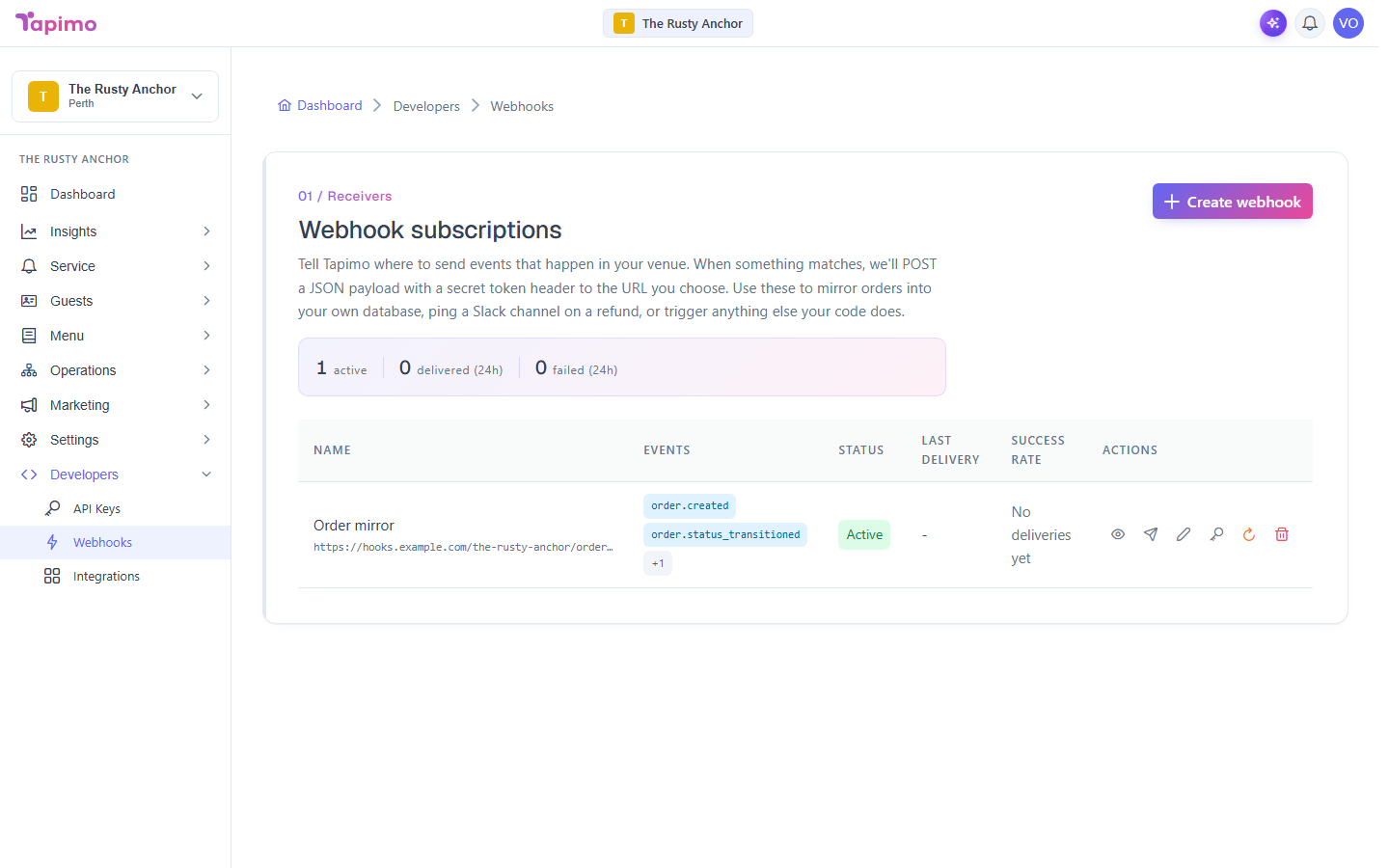
A webhook tells Tapimo where to send events. When something matches, Tapimo POSTs a JSON payload (with a secret token in the header) to a URL you choose. This is for connecting your own systems, so you will need somewhere for the events to land.
This needs the Manage Webhooks permission. Venue owners have it automatically. Webhooks are part of higher plans; if you do not see Webhooks under Developers, your plan does not include them yet.
Create a webhook
- Go to Developers -> Webhooks.
- Click Create webhook.
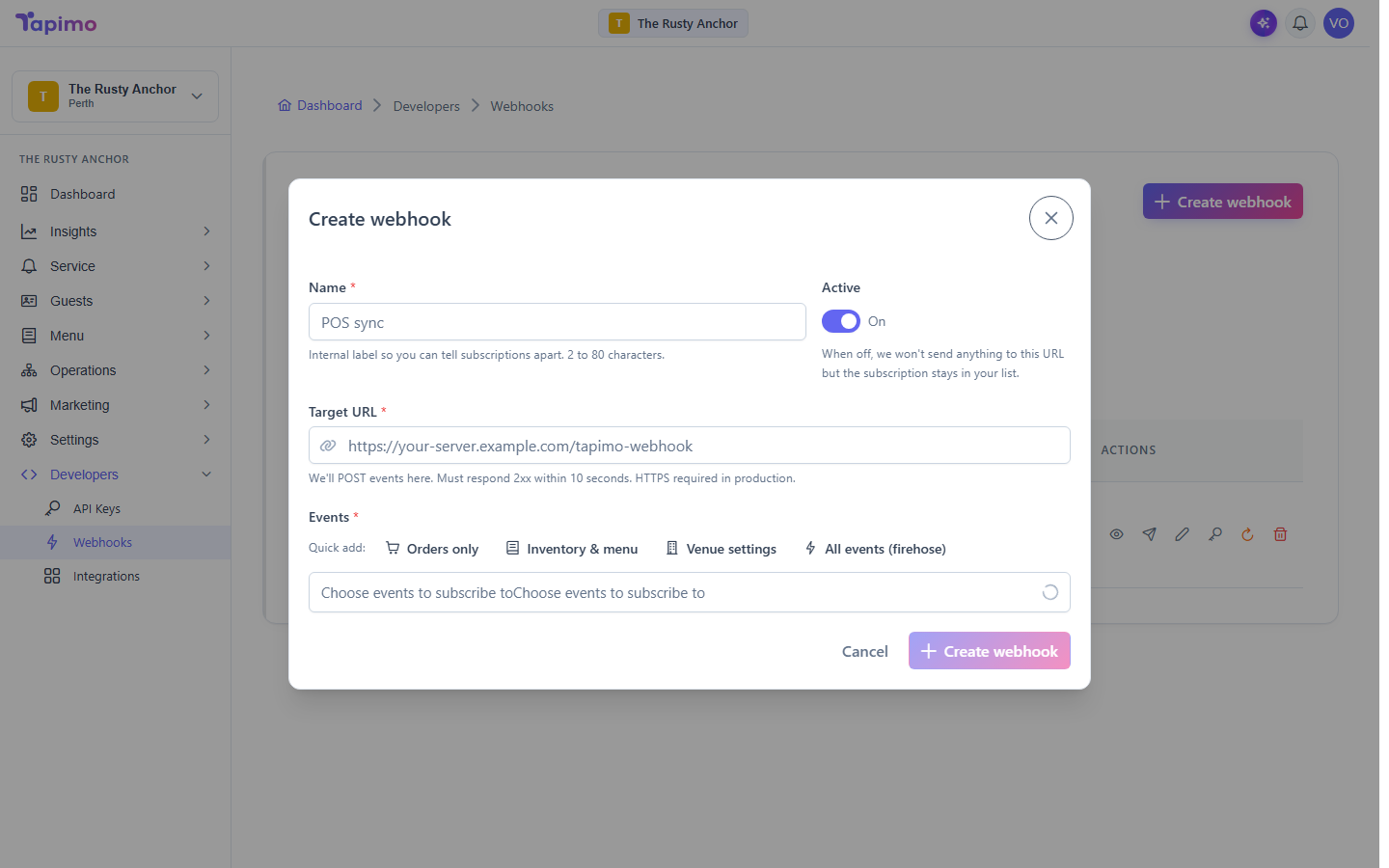
- Fill in:
- Name: a label so you can tell your webhooks apart (for example,
POS sync). - Target URL: where Tapimo POSTs the events. It must respond within 10 seconds, and use HTTPS in production.
- Events: choose which events to receive. Use a Quick add bundle like Orders only, or pick individual events.
- Name: a label so you can tell your webhooks apart (for example,
- Click Create webhook.
The signing token
Every delivery carries a secret token in its header so your receiver can confirm the request really came from Tapimo. Use Reveal token to see it (shown once) and Rotate token if it ever leaks.
Revealing and rotating the token is limited to venue owners. Staff with Manage Webhooks can set up and edit webhooks, but cannot see the token.
Test it and check deliveries
- Click Test fire on a webhook to send a test event.
- Click View deliveries to see the delivery history, with each attempt's request, response and payload. From there you can Redeliver any attempt.
How to know it worked
After a test fire, the event appears in View deliveries with a success status and a 2xx response from your server.