Export your data
Pull your data as a CSV or PDF, for your accountant, the bank, or your own records.
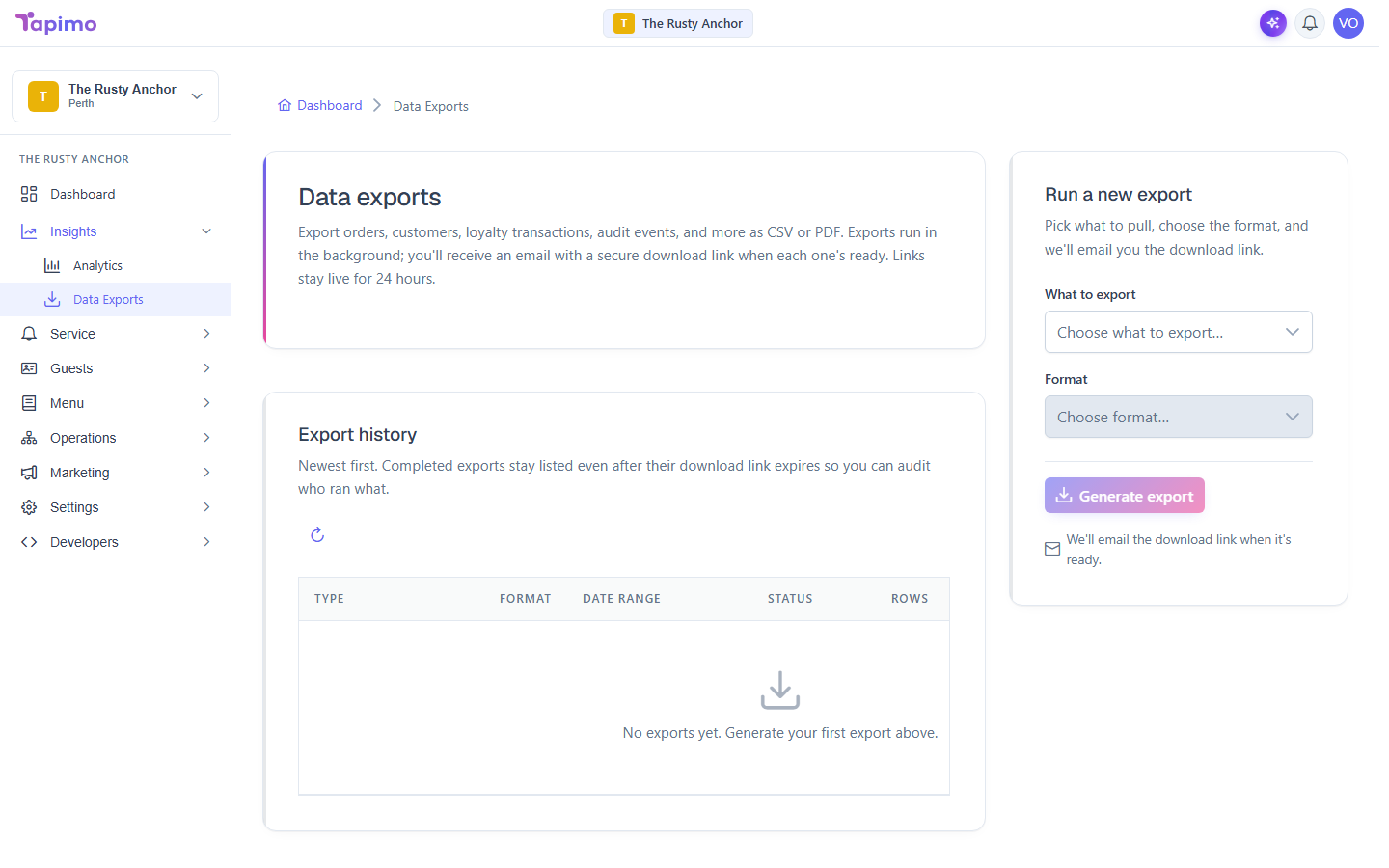
You pick what to export and the format, and Tapimo emails you a secure download link when it is ready. The export runs in the background, so you can carry on.
This needs the View Reporting permission. Venue owners have it automatically. Data exports are on Growth plans and above; if you see "Data exports unlock with Growth", your plan does not include them yet.
Run an export
- Go to Insights -> Data Exports.
- Under Run a new export, choose What to export: Orders, Order items (line-level), Refunds, Customers (opted-in only), Loyalty transactions, Platform fee invoices, or Audit log.
- Choose the Format. Most exports are CSV; platform fee invoices come as PDF.
- Set a Date from and Date to if you want to limit the range. (The customers export ignores the date range and includes every record.)
- Click Generate export.
Get the result
You will see "Export queued", and Tapimo emails you a secure download link when the export is ready. Links stay live for 24 hours.
See past exports
The Export history list shows each export's Type, Format, Date range, Status, Rows and when it was Generated. A finished export shows a Download button until its link expires, after which it reads Link expired (run it again to get a fresh link).
How to know it worked
The export appears in your history with a completed status and a Download button, and the link arrives in your email.