View the audit log
See a record of every important change made at your venue, and who made it.
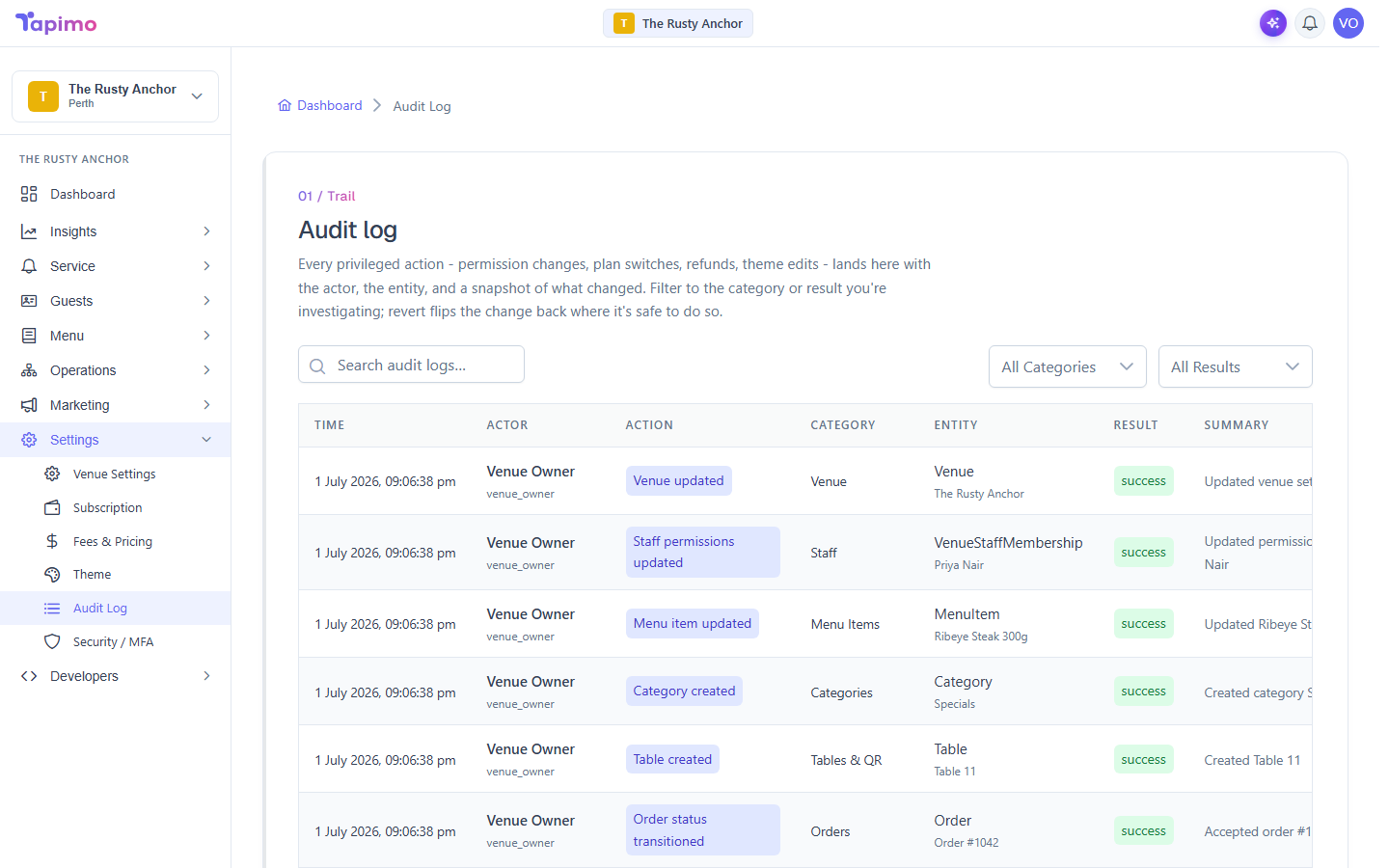
The audit log is a running history of the privileged actions at your venue: permission changes, plan switches, menu edits, refunds, and more. Each entry records who did it, what they touched, and a snapshot of what changed.
This needs the View Audit Log permission. Venue owners have it automatically. Reverting a change also needs edit permission on the kind of thing being reverted.
Read the trail
- Go to Settings -> Audit Log.
- Each row shows the Time, the Actor (who did it and their role), the Action, the Category, the Entity it affected, the Result, and a short Summary.
- Click a row to open its detail and see exactly what changed.
Narrow it down
- Type in Search audit logs to find entries by keyword.
- Use the Categories filter to focus on one area (for example, Staff, Orders, Payments, or Menu Items).
- Use the Results filter to show only successful actions or only failures.
Revert a change
Some changes can be undone from here. Where it is safe, open the entry and click Revert this change to flip it back. If an entry cannot be reverted, the option is not offered.
Good to know
The audit log is permanent. Entries cannot be edited or deleted, by anyone, so the trail always reflects what actually happened.