Generate an API key
Mint a key so your own software can connect to Tapimo's API.
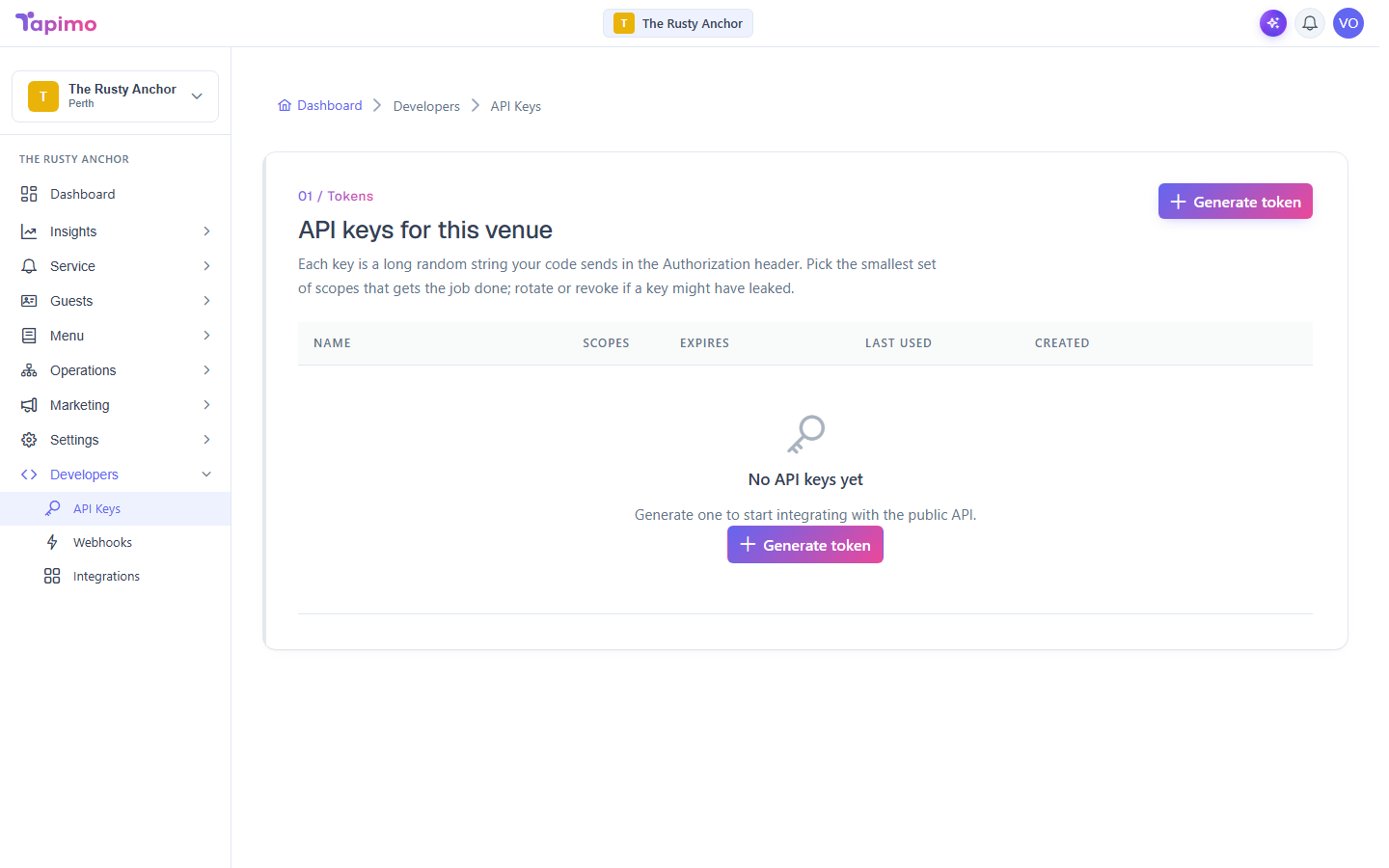
An API key is a long random string your code sends to read your venue's data (orders, menu, tables, customers). You choose exactly what each key can do, and you can rotate or revoke it any time.
Who can do this
This needs API access for your venue (the Use API permission). If the API Keys page shows an access message instead of the generator, ask the venue owner to enable API access for your role.
Generate a key
- Go to Developers -> API Keys.
- Click Generate token.
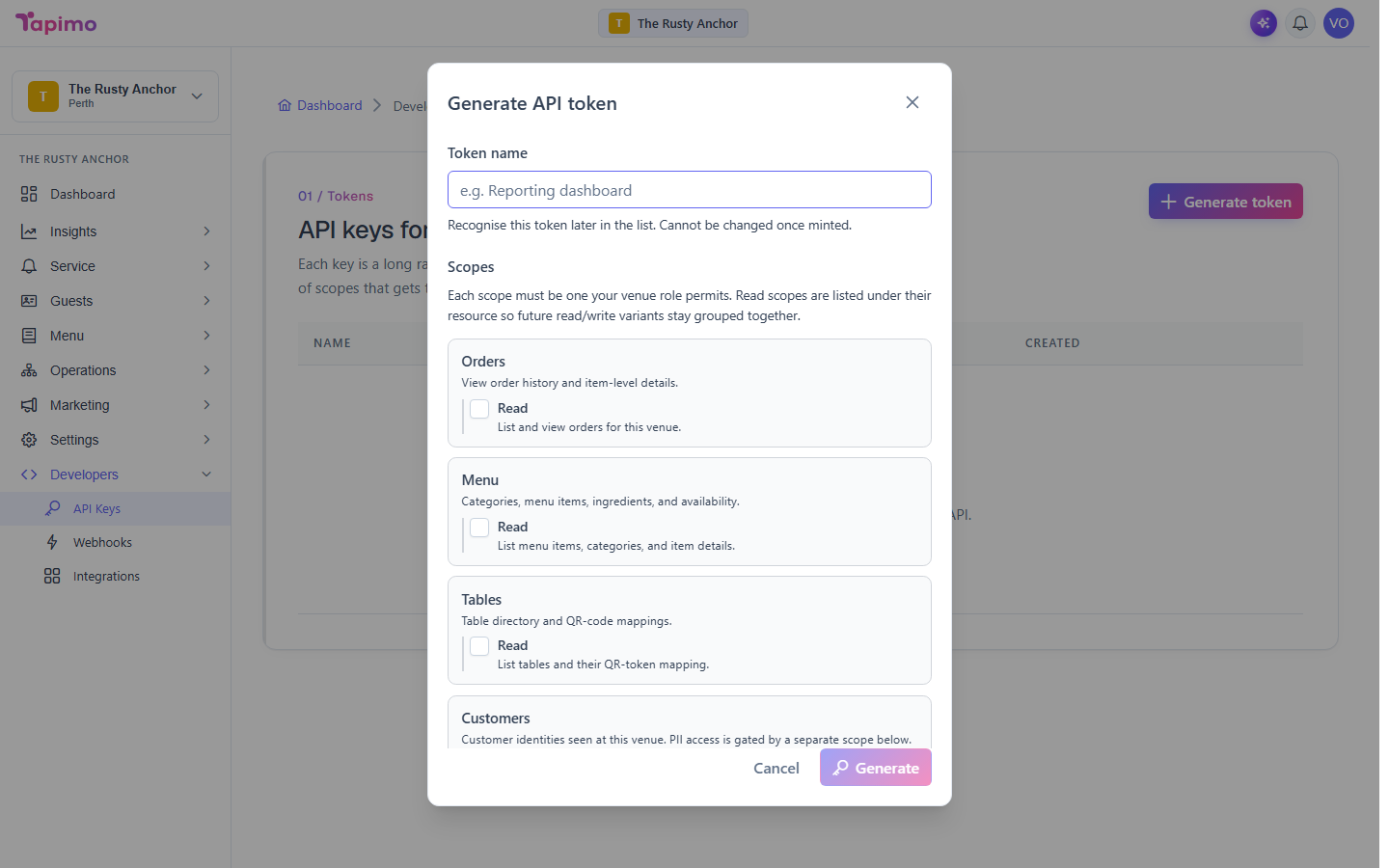
- Enter a Token name so you can recognise it later (for example,
Reporting dashboard). - Tick the Scopes it needs. Pick the smallest set that does the job, for example Orders -> Read or Menu -> Read. The customer Read PII scope (which exposes names and emails) should be used sparingly.
- Set Expires in (days) (up to 365; the default is 90).
- Click Generate.
Save it now
The token is shown once. Copy it straight away and store it somewhere safe; Tapimo cannot show it again. Tick I have copied this token somewhere safe and click Done.
Rotate or revoke
On a key's row:
- Rotate issues a fresh token with the same scopes and stops the old one working immediately (useful if a key might have leaked).
- Revoke turns the key off for good; anything using it stops working.
How to know it worked
The key appears in your list with its name, scopes and expiry, and your software can authenticate with the token you copied.