Take table reservations
Enter phone bookings and manage them from one list, next to your live orders.
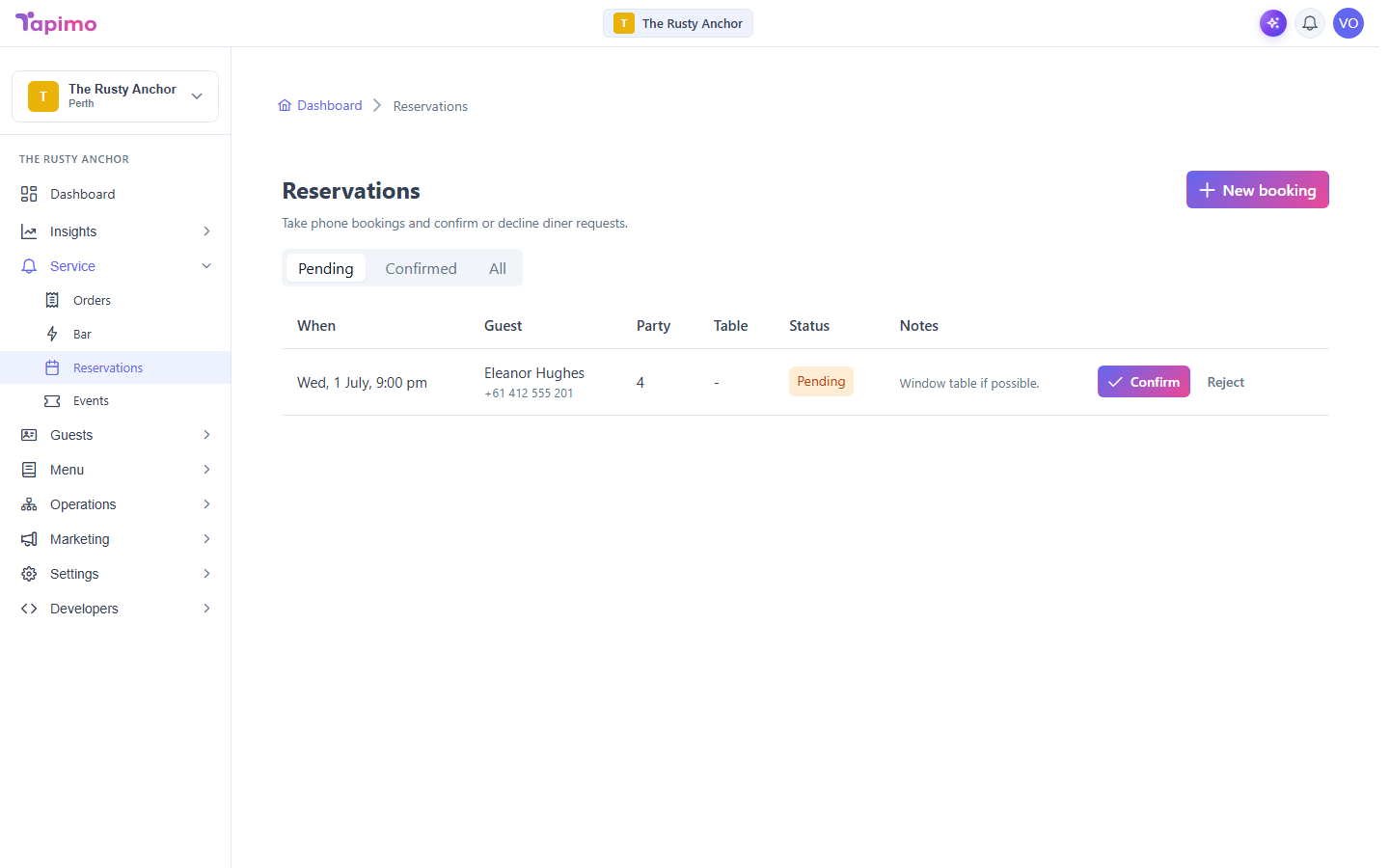
The reservations screen is where you take a booking over the phone and where any diner requests land for you to confirm or decline.
This needs the Manage Reservations permission. Venue owners have it automatically. Reservations are a plan feature; if you do not see Reservations under Service, your plan does not include it yet.
Take a phone booking
- Go to Service -> Reservations.
- Click New booking.
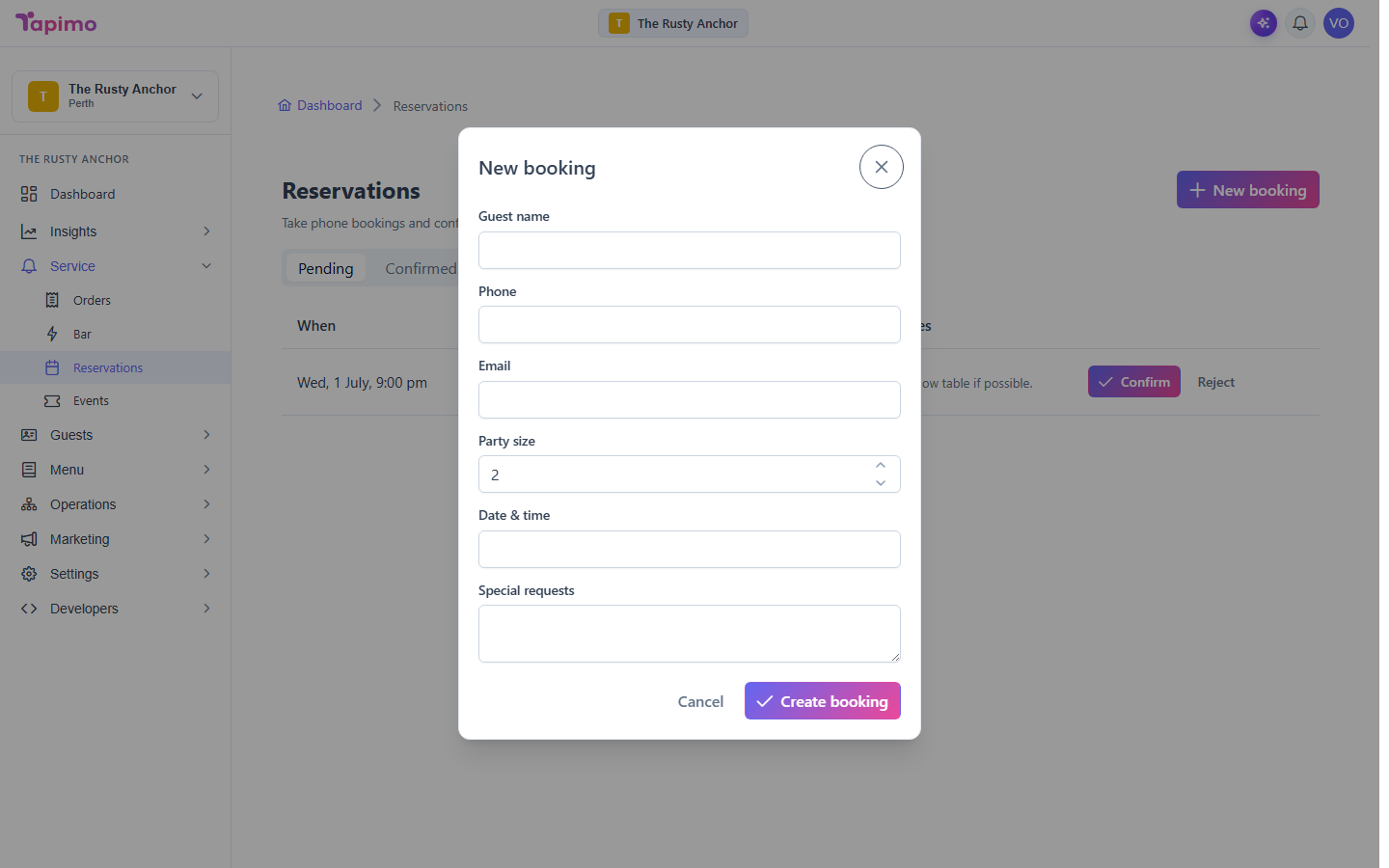
- Fill in the details:
- Guest name (required).
- Phone and Email.
- Party size.
- Date & time (required).
- Special requests.
- Click Create booking.
Confirm, reject or cancel
The list shows each booking's When, Guest, Party, Table and Status. Use the filter at the top to switch between Pending, Confirmed and All.
- On a pending booking, click Confirm to accept it or Reject to decline it.
- On a confirmed booking, click Cancel to call it off.
How to know it worked
A new booking appears in the list, and its status changes as you action it (Confirmed, Rejected or Cancelled).
Troubleshooting
A booking clashes with another Tapimo checks that a table's confirmed bookings do not overlap. If confirming would double-book a table, it is blocked and the message tells you the clash, so you can pick another time or table.