See your customers
Browse everyone who has ordered or scanned at your venue, with the context staff need the moment a name comes up.
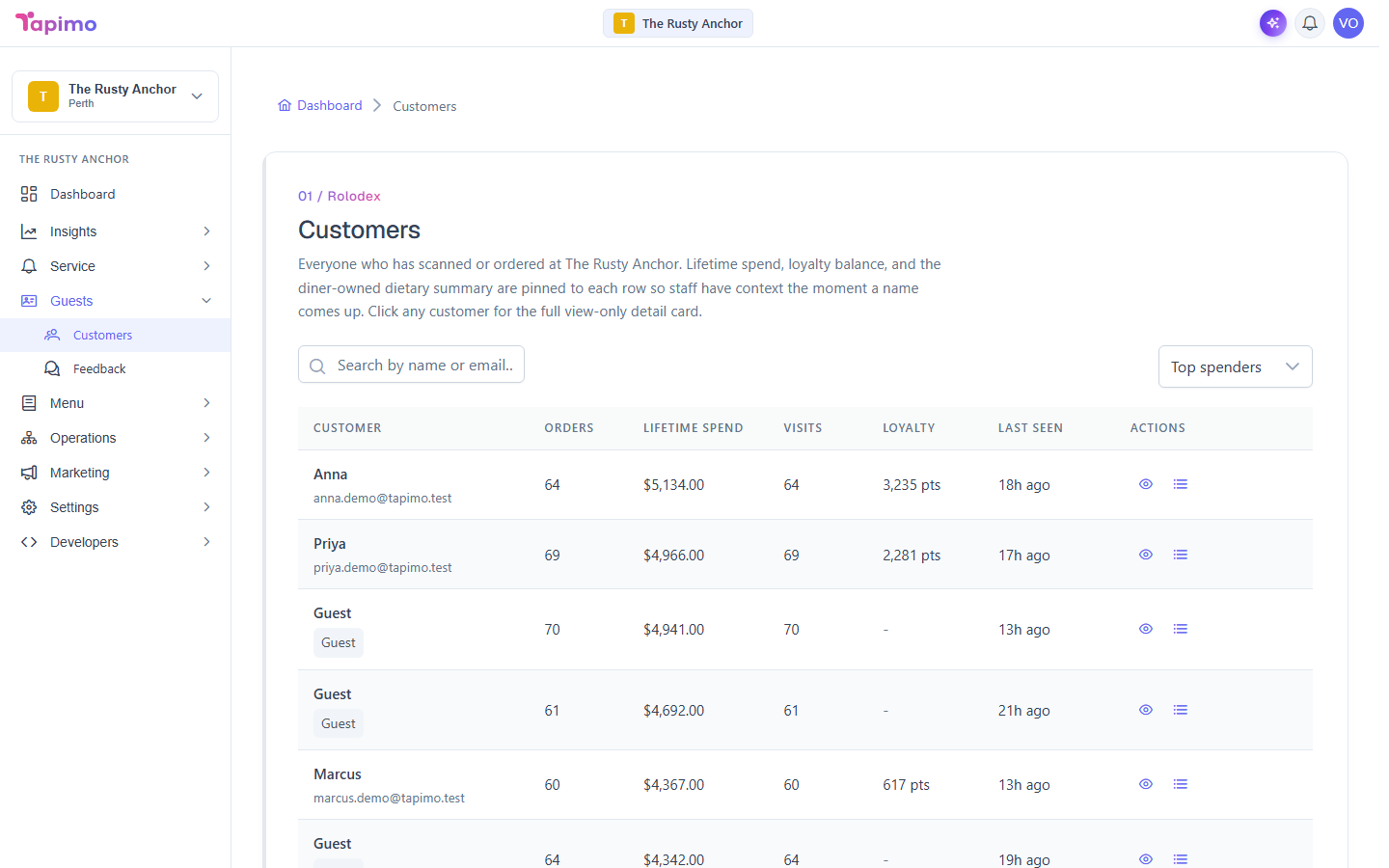
The customers list is a read-only rolodex. Each row shows a diner's spend, orders, visits and loyalty balance, and opening one gives you their full detail, including the dietary notes they have shared.
This needs the View Customers permission. Venue owners have it automatically. It is read-only and venue-scoped: a diner only appears here if they have ordered or scanned at this venue.
Browse the list
- Go to Guests -> Customers.
- Each row shows the diner's name (or Guest if they ordered without an account), Orders, Lifetime spend, Visits, Loyalty balance, and when they were Last seen.
- Use Search by name or email to find someone, and the sort dropdown to order the list by Top spenders, Most orders, Most visits, Last visit, Last order, or Newest first.
Open a customer
Click a row to open the Customer detail card. It shows, all At this venue:
- Their Orders, Visits, Lifetime spend and Loyalty balance.
- Their last order and last visit.
- A Dietary summary if they have shared one: allergies (flagged clearly), dietary flags, milk preference, spice tolerance and birthday.
Use View their orders to jump to this diner's order history.
A diner who ordered as a guest has no account, so no email is shown. Their spend and visits are still tracked.
See your top customers at a glance
Your dashboard has a Top customers widget listing your top five by lifetime spend, each linking through to the full list.
How to know it worked
The list fills with diners as they order and scan. A brand-new venue shows "No customers have ordered or scanned at this venue yet" until the first scan.