Set your venue type
Tell Tapimo what kind of venue you are.
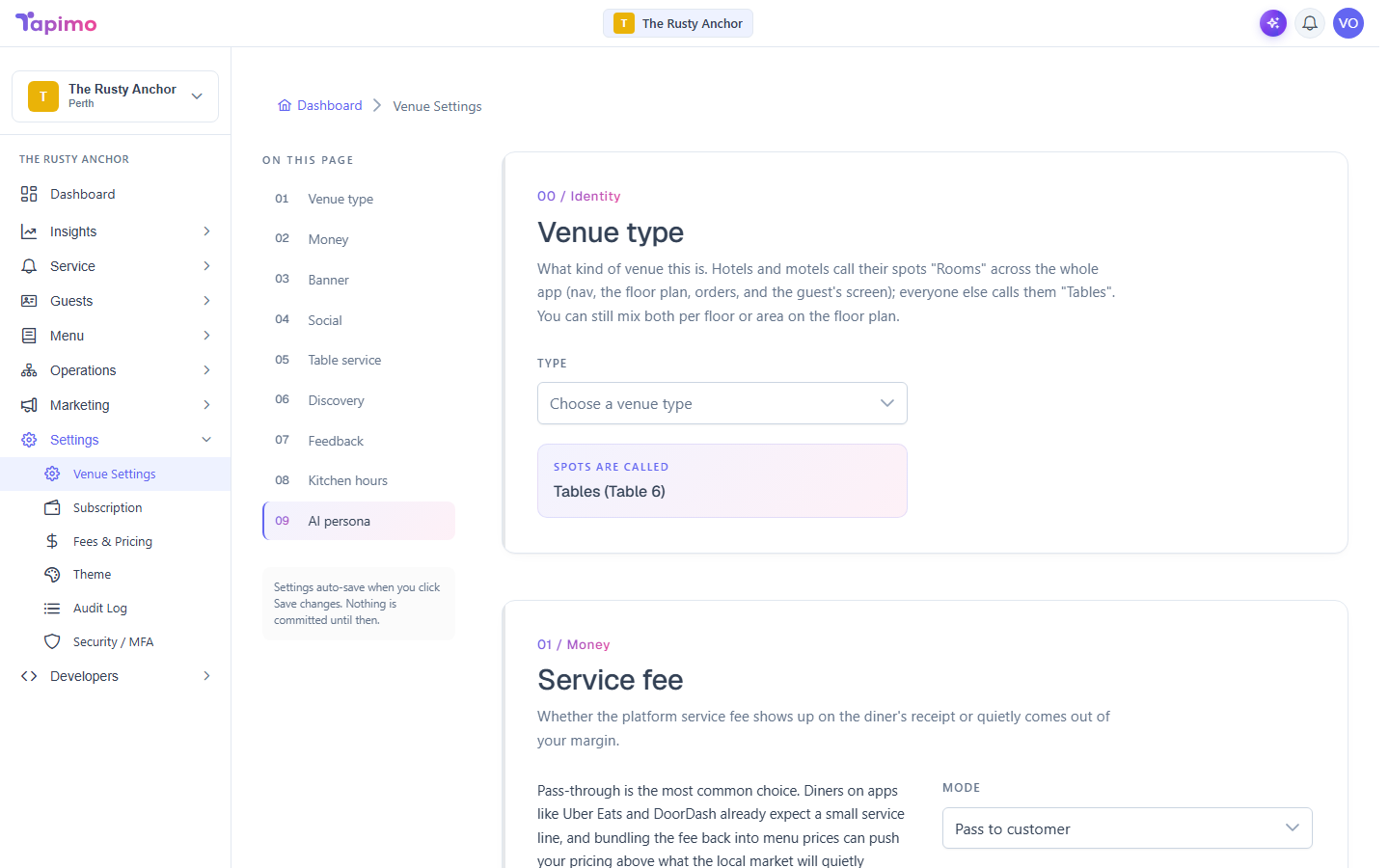
Your venue type is a small but useful setting. For hotels and motels it also switches the whole app to say "Rooms" instead of "Tables", so a guest sees "Room 204" rather than "Table 6".
Who can do this
This needs the Manage Venue Settings permission. Venue owners have it automatically.
Steps
- Go to Settings -> Venue Settings.
- In the Identity section, open the Type dropdown and choose your venue type: Restaurant, Cafe, Bar, Pub, Club, Hotel, Motel, Quick service or Other.
- Click Save changes.
How to know it worked
The setting saves, and the preview line below the dropdown shows what your spots are called. For a hotel or motel it reads "Rooms (Room 204)"; for everyone else it reads "Tables (Table 6)".
Mixing Rooms and Tables
A hotel can have both. On the floor plan you can set a floor or area to hold Rooms or Tables individually, so guest-room floors and a restaurant area can live in the same venue. See Arrange your floor plan.